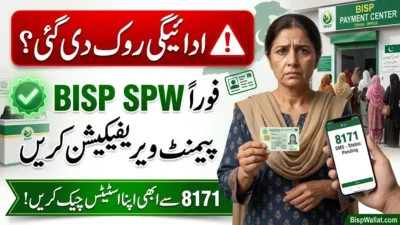
So you checked your CNIC on the 8171 portal and now you’re staring at your screen like “wait, what does this even mean?” Don’t worry, this happens to literally everyone. BISP wallet status messages sound confusing at first, but once you get it, it’s actually pretty simple.
This guide breaks it down in easy words. No boring jargon, no confusing government language. Just straight facts on what to do next.
What Is the 8171 Portal Anyway?
The 8171 portal is BISP’s official website where you check your payment status using just your CNIC. BISP stands for Benazir Income Support Programme — it’s Pakistan’s biggest cash support program for low-income families.
You don’t need to download an app or make an account. Just go to 8171.bisp.gov.pk, type your CNIC number, and boom, your status shows up.
If you don’t have internet, no stress. Just text your CNIC number to 8171 and you’ll get a reply telling you your status.
Right now, BISP is moving from the old “stand in line at a camp” system to a digital wallet system. This means your money goes into a mobile wallet (usually JazzCash) linked to your registered SIM, and you collect it through an agent instead of waiting in a long queue.
How to Check Your BISP Wallet Status Step by Step
- Open your phone browser (or a computer, whatever you have).
- Go to 8171.bisp.gov.pk.
- Type in your 13-digit CNIC, no dashes.
- Hit submit.
- Your result pops up in a few seconds.
Or just send your CNIC as an SMS to 8171 if you don’t wanna deal with internet.
One tip: you don’t need to check this every hour. Statuses update every couple of days, not every minute. Checking once every 2-3 days is honestly enough.
The 3 Main BISP Wallet Statuses (And What They Mean)
This is the part everyone actually cares about. There are three main results you might see, and each one needs a different next move.
| Status Shown | What’s Going On | What You Should Do |
|---|---|---|
| Wallet Inactive | Your money is approved but your wallet isn’t turned on yet | Go to an agent with CNIC + SIM + fingerprint |
| SIM Not Issued | You haven’t gotten your registered SIM yet | Go to your Tehsil office and get your free SIM |
| Wallet Active | Everything’s ready, money is sitting there | Go collect it, no extra steps needed |
Let’s go through each one properly.
Wallet Inactive – What It Means
Basically, your payment is already approved and waiting for you. But your wallet hasn’t been switched on yet, so the money can’t come out.
Think of it like having cash in a bank account but the ATM card isn’t activated yet. The money’s there, you just need one more step.
How to fix it:
- Go to your bank agent or JazzCash agent or a BISP payment center.
- Bring your original CNIC (not a photo or photocopy).
- Bring your registered phone/SIM.
- Do the biometric check (they scan your fingerprint).
- Once that’s done, your wallet turns on and you can usually collect your payment the same day.
This usually happens to people who just got approved or recently got re-verified. It’s normal, don’t panic.
SIM Not Issued – What It Means
This one means BISP hasn’t given you your SIM card yet. Without this SIM, your wallet can’t even be created, so obviously payment collection can’t happen either.
How to fix it:
- Visit your nearest BISP Tehsil office.
- Make sure your CNIC info matches your NSER record (this is the government’s household database that decides who’s eligible).
- Collect your SIM — and this part is super important — it’s 100% FREE. Nobody should ask you for money for this.
- Once you get the SIM and it’s active, you’re clear to move to the wallet activation step.
Quick heads up: SIM issuing has deadlines during each payment cycle. If you wait too long, you might miss that quarter’s payment window. So don’t sit on this.
Wallet Active – What It Means
This is the best one to see. It means your wallet is fully working and your money — your Benazir Kafalat payment, or sometimes your Taleemi Wazaif (education stipend) too — is already sitting in your wallet.
How to collect it:
- Go to your assigned agent or payment center.
- Bring your CNIC and phone.
- Do the fingerprint check.
- Get your cash. No smartphone or app needed, the agent scans everything on their end.
If your status says this, you’re basically one short trip away from having your money in hand.
What Documents You Actually Need
Simple list, don’t overthink it:
- Original CNIC (must be original, not a copy)
- Your registered mobile phone with the SIM linked to your BISP account
- Your fingerprint for biometric verification
- If asked, your household/survey reference (rare, but some Tehsil offices ask)
The Full Payment Collection Process
- Check your status on 8171.bisp.gov.pk or by SMS.
- Fix whatever’s pending (get your SIM or activate your wallet).
- Go to an official BISP center, bank agent, or JazzCash agent. Never go to some random “facilitator” who says they can speed things up.
- Show your original CNIC and phone.
- Do the biometric scan.
- Collect your payment in cash.
- Keep your receipt or confirmation SMS just in case.
Does Your City or Province Matter?
Kind of, yeah. The wallet system rolled out faster in Punjab, where a lot of people are already getting paid straight into JazzCash wallets. Other provinces like Sindh, KP, and Balochistan are still catching up, and some areas are still using camps or bank ATMs (like HBL, Bank Alfalah, or Bank of Punjab) instead.
So if your cousin in another city already got paid and you haven’t, don’t panic. It’s probably just because your district hasn’t reached its payment phase yet, not because something’s wrong with you specifically.
A few extra tips depending on where you live:
- If you live somewhere rural with fewer agents around: SMS checking (texting CNIC to 8171) is honestly more reliable than relying on internet.
- If you’re in a big city: There’s usually more than one agent option. If one machine isn’t working, just try a different authorized spot.
- If you’re near a province border: Double check which payment point is actually assigned to your CNIC before travelling somewhere random.
Common Mistakes People Make (Don’t Do These)
- Bringing a photocopy of your CNIC instead of the original.
- Using a phone number that isn’t the one registered with BISP.
- Not telling the agent if your fingerprint isn’t scanning properly (there’s usually a backup option, just ask).
- Going to random people who “offer help” for a fee. Big red flag.
- Assuming one status check is final. It updates as things move along.
- Missing your quarter’s deadline. Some cycles don’t carry your payment forward if you miss it.
Important Warning About Scams
This needs to be said clearly: everything from BISP is free. Registering, getting your SIM, activating your wallet, none of it costs money.
If anyone asks you to pay to “speed up” your wallet or “release” your payment, that person is not from BISP. Don’t give them your CNIC details, OTP codes, or wallet PIN. Only trust the official portal (8171.bisp.gov.pk) and the official SMS number (8171). There are a bunch of fake copycat websites out there, so be careful which link you click.
Quick Glossary (In Case You’re Confused By The Terms)
- BISP – The government program giving cash support to low-income families.
- 8171 Portal – The website/SMS system to check your status.
- CNIC – Your national ID card number, used for everything.
- NSER – The database that decides who’s eligible based on household info.
- PMT Score – A score used to measure how much financial help your household needs.
- Benazir Kafalat – The main quarterly cash payment.
- Benazir Taleemi Wazaif – The education stipend for kids in beneficiary households.
- Biometric Verification – The fingerprint scan you do to prove it’s really you.
- Tehsil Office – Local office where you register or collect your SIM in person.
FAQs – BISP wallet status July 2026
1. What does “Wallet Inactive” mean on the 8171 portal?
It means your payment is approved but your wallet needs to be turned on first. Go to an agent with your CNIC, SIM, and fingerprint to activate it.
2. What do I do if my status says “SIM Not Issued”?
Head to your nearest BISP Tehsil office and collect your free SIM. You can’t activate a wallet without it.
3. Is the BISP SIM actually free?
Yes, 100%. SIM, registration, and wallet activation don’t cost a single rupee. Never pay anyone for this.
4. How often should I check my status?
Every 2-3 days is enough. It doesn’t update every hour, so checking constantly won’t change anything.
5. What do I need to bring to collect my payment?
Your original CNIC, your registered phone/SIM, and your fingerprint for verification.
6. Do I need a smartphone to collect my money?
Nope. The agent does all the verification on their own device. You just need your CNIC and phone with you.
7. Why did my relative get paid before me?
Payments go out in phases by district. If your area hasn’t hit its phase yet, that’s why it’s delayed, nothing personal.
8. What happens if I miss the deadline for my quarter?
Some cycles won’t carry your payment forward if you miss the cutoff. So don’t wait too long once your status looks ready.
Conclusion
Honestly, once you understand the three statuses, this whole process stops being confusing. Wallet Inactive means go activate it. SIM Not Issued means go grab your SIM first. Wallet Active means just go collect your cash.
Check your status on 8171.bisp.gov.pk or text your CNIC to 8171, bring your original CNIC and SIM wherever you go, and never pay anyone for any step. That’s really all there is to it.
Official Resources
- Check Your BISP Status Now — official 8171 portal
- Verify Your Beneficiary Record — official validation portal
- Visit BISP’s Official Website — programs, news, updates
- Check Latest BISP Digital Wallet Updates – BISP wallet account, BISP sim wallet app
- Helpline: 0800-26477 (free, all networks) — report fraud or ask questions