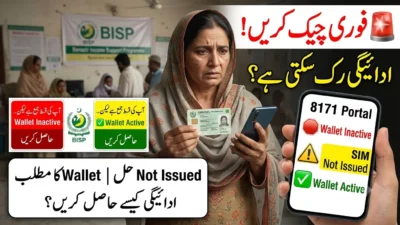
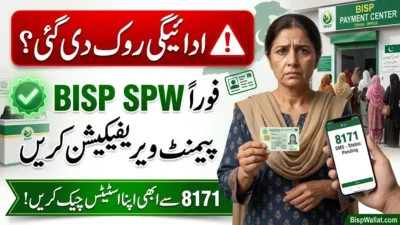
The Benazir Income Support Programme (BISP) is transforming how beneficiaries receive financial assistance by gradually introducing the Digital Wallet payment system. Instead of relying entirely on traditional cash distribution methods, eligible beneficiaries will increasingly receive payments through secure digital channels after completing biometric verification through authorized retailers.
This initiative is designed to improve payment security, reduce fraud, eliminate unauthorized deductions, and make it easier for beneficiaries across Punjab, Sindh, Khyber Pakhtunkhwa (KPK), Balochistan, Islamabad Capital Territory, Azad Jammu & Kashmir (AJK), and Gilgit-Baltistan (GB) to access their funds.
If you searched for BISP Digital Wallet biometric process through retailers, 8171 Digital Wallet, Benazir Digital Wallet activation, or BISP biometric verification, this guide explains everything you need to know.
What Is the BISP Digital Wallet?
The BISP Digital Wallet is a secure electronic payment system that allows eligible beneficiaries to receive their financial assistance digitally after successful identity verification.
Instead of depending only on conventional payment camps, beneficiaries can activate a Digital Wallet and receive future installments more securely through designated banking partners and authorized retailers.
The system aims to:
- Improve payment transparency
- Reduce fraudulent withdrawals
- Minimize long waiting times
- Enhance beneficiary convenience
- Strengthen digital financial inclusion in Pakistan
Why Has BISP Introduced Digital Wallet Payments?
As millions of families depend on BISP assistance, secure payment delivery has become increasingly important.
The Digital Wallet system addresses several longstanding challenges:
- Identity fraud
- Fake beneficiaries
- Illegal payment deductions
- Long travel distances
- Crowded payment centers
- Delayed payment processing
Biometric authentication ensures that payments are released only to the rightful beneficiary.
Important Update for BISP Beneficiaries
According to the latest official BISP notice:
- Beneficiaries who have already received their payment should visit their assigned bank retailer to complete biometric verification and activate their Digital Wallet.
- Beneficiaries who have not yet received payment should first visit their nearest BISP Tehsil Office with:
- Original CNIC
- Registered mobile SIM
- After receiving payment, they should activate their Digital Wallet within three days through the designated bank retailer.
- The notice also indicates that future BISP payments will increasingly be delivered through the Digital Wallet system.
- The poster mentions 30 June 2026 as an important date in the transition process. Beneficiaries should continue following official BISP announcements for any updates or extensions.
Who Needs Biometric Verification?
Biometric verification generally applies to:
- Existing BISP beneficiaries
- Newly approved beneficiaries
- Digital Wallet users
- Individuals receiving new payment installments
- Beneficiaries asked to complete identity re-verification
The verification process uses fingerprint authentication linked to your CNIC records.
Eligibility Requirements
Before visiting a retailer, ensure you have:
| Requirement | Purpose |
| Original CNIC | Identity verification |
| Active BISP registration | Payment eligibility |
| Registered mobile SIM | Communication and verification (where applicable) |
| Fingerprint authentication | Secure identity confirmation |
| Visit to an authorized retailer | Wallet activation and payment collection |
Step-by-Step BISP Digital Wallet Biometric Process Through Retailers
Step 1: Check Your Payment Status
Before visiting a retailer, confirm that your BISP payment has been released through official BISP communication channels.
Step 2: Visit Your Assigned Bank Retailer
Go only to the authorized retailer or banking agent assigned for BISP payments.
Avoid unauthorized shops claiming to process BISP payments.
Step 3: Present Your Original CNIC
The retailer will request your:
- Original CNIC
- Beneficiary details
Photocopies are generally not accepted for biometric verification.
Step 4: Fingerprint Verification
The retailer will ask you to place your thumb on a biometric scanner.
The system securely compares your fingerprint with the official identity database.
If the fingerprint matches successfully, the verification continues.
Step 5: Digital Wallet Activation
After successful biometric authentication, the retailer activates your Digital Wallet according to the assigned payment system.
Activation may only need to be completed once unless additional verification is required later.
Step 6: Payment Confirmation
The system checks:
- Beneficiary eligibility
- Available payment amount
- Wallet activation status
- Identity verification
Once confirmed, payment becomes available.
Step 7: Receive Your Payment
After successful verification:
- Collect your payment.
- Verify the amount before leaving.
- Request a transaction receipt if available.
Documents Required
Carry the following:
- Original CNIC
- Registered mobile SIM
- Payment notification (if received)
- Any additional documents requested by BISP
How Do Authorized Retailers Verify Beneficiaries?
Authorized retailers use secure biometric devices connected to approved payment systems.
The verification process usually includes:
- CNIC verification
- Fingerprint authentication
- Beneficiary eligibility confirmation
- Wallet activation
- Payment authorization
- Transaction recording
This digital process reduces the possibility of identity fraud and unauthorized withdrawals.
What If You Have Not Received Your Payment?
If your payment has not yet been released:
- Visit your nearest BISP Tehsil Office.
- Carry your original CNIC.
- Bring your registered SIM.
- Complete any required verification.
- Once payment is received, activate your Digital Wallet within three days through the assigned retailer.
Benefits of the BISP Digital Wallet
For Beneficiaries
- Faster payments
- Better security
- Less travel
- Reduced waiting time
- Easy payment tracking
- More convenient withdrawals
For BISP
- Improved transparency
- Reduced fraud
- Better payment monitoring
- Digital transaction records
- More efficient payment distribution
Traditional Payment vs Digital Wallet
| Feature | Traditional Payment | Digital Wallet |
| Identity Verification | Basic | Biometric |
| Payment Security | Moderate | High |
| Fraud Prevention | Limited | Strong |
| Digital Records | Limited | Comprehensive |
| Transparency | Moderate | Improved |
| Convenience | Lower | Higher |
Common BISP Biometric Verification Problems
1. Fingerprint Not Matching
Possible reasons:
- Worn fingerprints
- Dry skin
- Scanner quality
- Finger placement
Solution:
- Clean your hands.
- Retry the scan.
- Ask the retailer to repeat verification.
2. CNIC Verification Issue
Sometimes the CNIC details may not match current records.
Visit the appropriate BISP office if your records require updating.
3. Payment Not Showing
Possible reasons include:
- Payment not yet released
- Verification still pending
- Technical synchronization delay
Always verify your payment status through official channels.
4. Scanner Malfunction
If the retailer’s biometric device is not working:
- Wait briefly.
- Visit another authorized retailer if advised.
- Contact BISP support if the issue persists.
Security Tips
To protect yourself:
- Never share your CNIC with unauthorized individuals.
- Never provide fingerprints outside official verification.
- Never pay illegal service charges.
- Keep your mobile number updated.
- Always verify the payment amount.
- Request a receipt whenever possible.
Common Mistakes to Avoid
Many payment delays occur because beneficiaries:
- Forget their original CNIC.
- Visit unauthorized retailers.
- Ignore official payment notifications.
- Share personal information with strangers.
- Leave without checking the payment amount.
- Fail to activate the Digital Wallet after payment.
Avoiding these mistakes can save time and prevent unnecessary complications.
Best Practices for Smooth Payment Collection
Before visiting:
- Check your payment status.
- Carry your original CNIC.
- Bring your registered SIM if required.
- Visit only an authorized retailer.
- Complete biometric verification carefully.
- Verify the payment before leaving.
- Keep your receipt safe.
Regional Availability Across Pakistan
The Digital Wallet rollout is expected to expand gradually across Pakistan.
Beneficiaries in cities such as:
- Karachi
- Lahore
- Islamabad
- Rawalpindi
- Faisalabad
- Multan
- Peshawar
- Quetta
- Hyderabad
- Sukkur
- Gujranwala
- Sialkot
- Bahawalpur
may experience different implementation timelines depending on local rollout plans. Beneficiaries in rural districts should follow announcements from their local BISP offices regarding retailer availability.
When Should You Visit a BISP Tehsil Office?
Visit your nearest BISP Tehsil Office if:
- You have not received your payment.
- Your biometric verification repeatedly fails.
- Your CNIC information requires correction.
- Your beneficiary record needs updating.
- You are instructed by BISP to complete additional verification.
Future of BISP Payments
The Digital Wallet initiative reflects Pakistan’s broader move toward secure digital financial services. As the system expands, beneficiaries can expect greater convenience, improved transparency, and reduced dependence on manual cash distribution.
Because payment procedures and partner banks may evolve over time, always rely on official BISP announcements for the latest instructions.
Official Support
If you need assistance:
- Contact the official BISP Helpline: 0800-26477
- Visit the official BISP website: www.bisp.gov.pk
- Visit your nearest BISP Tehsil Office for in-person support.
Helpful Guides:
- Explore All BISP Digital Wallet Guides (All Provinces & Districts)
- BISP Digital Wallet Withdrawal Methods 2026 (Step-by-Step Guide)
Frequently Asked Questions
1. What is the BISP Digital Wallet?
It is a secure digital payment system that allows eligible beneficiaries to receive BISP financial assistance electronically after successful biometric verification.
2. Is biometric verification mandatory?
For beneficiaries using the Digital Wallet payment system, biometric verification is generally required to confirm identity before payments are released.
3. What documents do I need?
You should carry your original CNIC. If instructed, also bring your registered mobile SIM and any official payment notification.
4. What should I do if my fingerprint is not recognized?
Clean your hands and try again. If the issue continues, seek assistance from the authorized retailer or visit the nearest BISP Tehsil Office for further guidance.
5. Can another family member collect my BISP payment?
Generally, payments are intended for the registered beneficiary. Biometric verification is designed to ensure that only the rightful recipient receives the funds.
6. How soon should I activate my Digital Wallet?
According to the official BISP notice, beneficiaries who receive their payment should activate their Digital Wallet within three days through their designated bank retailer.
7. What should I do if I have not received my payment?
Visit your nearest BISP Tehsil Office with your original CNIC and registered SIM to complete any required verification before activating your Digital Wallet.
8. Will all future BISP payments be made through the Digital Wallet?
The official notice indicates that BISP plans to transition future payments to the Digital Wallet system. Beneficiaries should continue monitoring official announcements for updates on implementation.
Conclusion
The BISP Digital Wallet biometric process through retailers marks an important step toward a more secure, transparent, and convenient payment system for beneficiaries across Pakistan. By completing biometric verification, activating the Digital Wallet, and following official procedures, recipients can receive their financial assistance with greater confidence and reduced risk of fraud.
Whether you are an existing beneficiary, a newly approved recipient, or a banking partner assisting with payment distribution, understanding this process will help ensure smoother transactions. Always visit authorized retailers, keep your CNIC and registered SIM updated, verify your payment before leaving, and rely on official BISP communication channels for the latest guidance as the Digital Wallet system continues to expand nationwide.