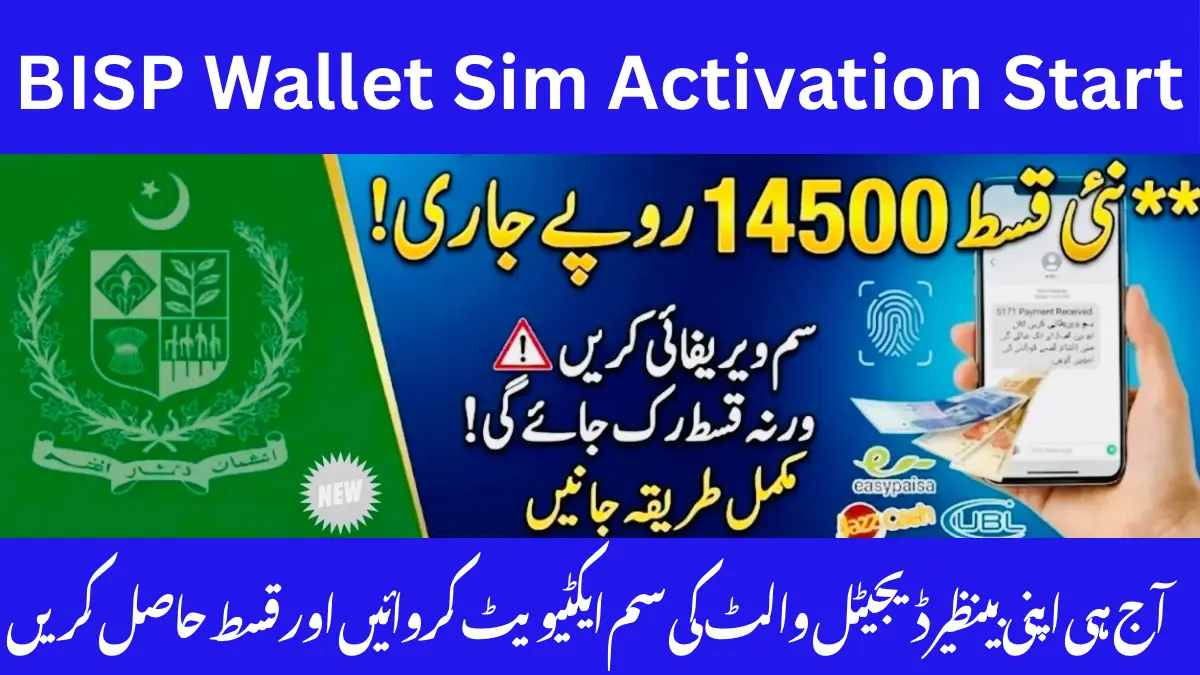
The Benazir Income Support Programme has started a new Digital Wallet SIM verification process in May 2026 all over Pakistan. This process is important for families getting payments from the 8171 program.
Now many beneficiaries must use a SIM registered on their own CNIC to:
- Receive 8171 SMS alerts
- Get payment updates
- Complete surveys
- Avoid payment delays
This process is active in Karachi, Lahore, Islamabad, Peshawar, and all other cities and villages in Pakistan.
What Is BISP SIM Activation?
BISP SIM activation means verifying that your SIM is registered on your own CNIC.
The system checks records through:
- Pakistan Telecommunication Authority
- National Database and Registration Authority
- Telecom companies
- 8171 verification system
This helps stop:
- Fraud
- Fake registrations
- Wrong payments
- SIM misuse
Why BISP Wallet SIM Verification Matters in 2026
The government wants safer and faster payment verification.
If your SIM is not verified, you may:
- Miss SMS alerts
- Face payment delays
- Have verification problems
Main Benefits of SIM Verification
| Benefit | Why It Matters |
| Faster payment alerts | Get SMS updates quickly |
| Better security | Helps stop scams |
| Easier eligibility checks | Smooth 8171 process |
| Improved account safety | Keeps account secure |
| Reduced payment delays | Fewer verification issues |
Who Needs SIM Activation for BISP?
This process is important for:
- New BISP applicants
- Existing beneficiaries
- Women getting Kafalat payments
- Dynamic survey families
- People updating CNIC records
How to Activate SIM for BISP in Pakistan
The process is simple and usually takes 10 to 20 minutes.
Step 1: Check SIM Ownership
First check if the SIM is registered on your own CNIC.
You can check through:
- Telecom franchise
- PTA SIM service
- Customer support
If the SIM belongs to someone else, buy a new SIM on your CNIC.
Step 2: Visit an Official Franchise
Visit an official franchise of:
- Jazz
- Zong
- Ufone
- Telenor Pakistan
Take:
- Original CNIC
- SIM card
- Mobile phone
Do not visit fake agents or small unauthorized shops.
Step 3: Complete Biometric Verification
The franchise agent will:
- Scan your thumbprint
- Check your CNIC
- Verify your SIM
- Confirm your identity
This process protects your BISP account.
Step 4: Confirm SIM Activation
After verification:
- Insert SIM into phone
- Check network signals
- Test SMS and calls
- Wait for confirmation message
Step 5: Use the Same Number for 8171
Always use the same verified number for:
- 8171 checks
- Payment alerts
- BISP surveys
- Complaint registration
Documents Required for BISP SIM Verification
| Required Document | Purpose |
| Original CNIC | Identity check |
| Registered SIM | SIM verification |
| Mobile phone | SMS confirmation |
| B-Form (sometimes) | Family details |
| Family certificate (if needed) | Extra verification |
Always carry original documents.
Can You Use Another Person’s SIM for BISP?
Many people ask this question.
Using your husband’s or family member’s SIM can create problems because BISP now checks CNIC matching.
Risks of Using Another Person’s SIM
- Payment delay
- Verification problems
- Missing SMS alerts
- Account review
For safety, use your own SIM.
Which SIM Network Is Best for BISP?
All major telecom networks work for BISP.
| Network | Supported for BISP |
| Jazz | Yes |
| Zong | Yes |
| Ufone | Yes |
| Telenor | Yes |
Choose the network with better signals in your area.
What Happens If Your SIM Is Not Verified?
You may face these problems:
| Issue | Result |
| SIM not on your CNIC | Verification failed |
| Fingerprint mismatch | Biometric issue |
| Inactive SIM | No SMS alerts |
| Wrong mobile number | Missed payment messages |
| PTA issue | SIM blockage risk |
Fingerprint Mismatch During Verification
Some people have fingerprint problems during biometric verification.
This mostly happens with:
- Elderly women
- Labor workers
- Rural beneficiaries
If this happens:
- Visit nearest NADRA office
- Update fingerprints
- Retry verification
How Rural Beneficiaries Can Complete SIM Activation
The process is available in villages and rural areas too.
You can visit:
- Telecom franchises
- Mobile biometric vans
- BISP camps
- Tehsil centers
Common Mistakes to Avoid
Using Inactive Numbers
Keep your SIM active.
Sharing OTP Codes
Never share:
- OTP code
- PIN
- Verification SMS
Visiting Fake Agents
Only use official telecom franchises.
Using Expired CNIC
Renew your CNIC first.
Safety Tips for Beneficiaries
Scammers often target BISP users.
Important Safety Rules
- Never pay extra money
- Never share thumbprints
- Ignore fake SMS
- Use official centers only
BISP SIM Activation Checklist
- ✔ Original CNIC available
- ✔ SIM registered on your CNIC
- ✔ Mobile phone working
- ✔ Biometric verification completed
- ✔ Correct number linked with BISP
- ✔ CNIC not expired
- ✔ SIM active
Why BISP Introduced SIM Verification
The government started this system to:
- Stop fraud
- Improve payment security
- Send payments to real beneficiaries
- Reduce fake registrations
This system helps connect:
- BISP
- PTA
- NADRA
- Telecom companies
Cities Where BISP SIM Verification Demand Is Highest
Most searches are coming from:
- Karachi
- Lahore
- Faisalabad
- Rawalpindi
- Peshawar
How to Update Mobile Number in BISP
If your old number is inactive, update it quickly.
Steps to Update Number
- Visit nearest BISP office
- Take original CNIC
- Provide new verified SIM
- Complete biometric verification
- Confirm update request
Use a SIM registered on your own CNIC.
Official & Helpful Resources
For latest verification updates, visit the official BISP Portal and PTA Pakistan for SIM registration and biometric rules.
You may also find these guides helpful:
FAQs (BISP 8171 SIM Verification 2026)
Is SIM activation mandatory for BISP in May 2026?
Many beneficiaries now need a verified SIM on their CNIC for 8171 updates and payment alerts.
Can I use my husband’s SIM for BISP payments?
It is better to use your own SIM because BISP checks CNIC matching.
How long does BISP Digital Wallet SIM activation take?
Usually 10 to 20 minutes at an official franchise.
What documents are needed for BISP SIM verification?
You usually need:
- Original CNIC
- SIM card
- Mobile phone
What should I do if fingerprints do not match?
Visit National Database and Registration Authority and update your fingerprints.
Which telecom company is best for BISP SIM activation?
Jazz, Zong, Ufone, and Telenor all work well for BISP.
What happens if my SIM is inactive?
You may stop receiving 8171 SMS alerts and payment updates.
Can rural beneficiaries complete SIM verification?
Yes, the process is available across Pakistan including villages and rural areas.
Conclusion
The BISP SIM activation process started in May 2026 is important for all beneficiaries in Pakistan. A verified SIM helps you receive payment alerts, 8171 SMS messages, and important updates without problems.
To avoid delays, use a SIM registered on your own CNIC, complete biometric verification, and keep your mobile number active.


