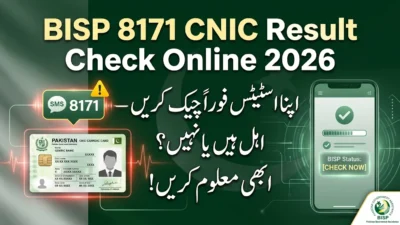
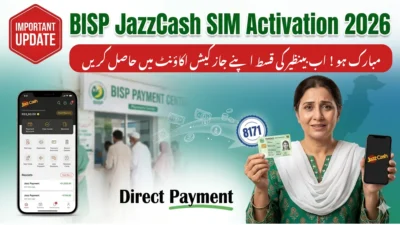
The BISP SIM wallet status is a simple check in Pakistan’s Benazir Income Support Programme (BISP). It tells you if your SIM card is linked with your CNIC and if you can receive government money.
In easy words, it shows:
- If your CNIC is verified
- If your SIM is linked with your name
- If your payment wallet is active
This system uses NADRA data and the 8171 SMS service.
If your SIM is not linked, you may not get payment even if you are eligible.
Why Checking BISP SIM Wallet Status Is Important
Checking your status is very important because it helps you avoid problems.
It helps you:
- Know if you are eligible for BISP money
- Check if SIM is linked with CNIC
- Confirm if wallet is active
- Avoid fake SMS scams
- Track your payment easily
How the BISP SIM Wallet System Works
The system works in 3 simple steps:
1. CNIC Check (NADRA)
Your data is checked in NADRA system.
2. Eligibility Check (8171)
The 8171 SMS service checks if you can get payment.
3. Payment Wallet
Money is sent to:
- JazzCash
- Easypaisa
This is called a direct payment system.
Step-by-Step: How to Check BISP SIM Wallet Status
Method 1: 8171 SMS Service (Easiest Way)
Steps:
- Open SMS app
- Type your CNIC number (13 digits)
- Send it to 8171
- Wait for reply
You will get:
- Eligibility status
- Payment info
- Wallet status
Method 2: BISP Official Portal Check
Steps:
- Open BISP website
- Enter CNIC number
- Fill captcha code
- Click submit
You will see:
- Eligible or not
- Payment details
- Wallet status
Method 3: Mobile Wallet App Check
JazzCash Users:
- Open app
- Go to government payments
- Check CNIC payment
Easypaisa Users:
- Open app
- Go to transaction history
- Check BISP payment
Method 4: Agent or BISP Office Check
You can also visit:
- BISP office
- JazzCash agent
- Easypaisa shop
They will check:
- CNIC status
- SIM linking
- Wallet activation
What Does “SIM Wallet Not Linked” Mean?
It means your SIM is not connected with your CNIC.
Common reasons:
- SIM is on someone else’s name
- CNIC info is not updated
- BISP system not updated
Common Problems and Solutions
1. 8171 No Reply
Reason: Network or SIM issue
Fix: Try again or use another SIM
2. Payment Not Showing
Reason: Wallet not active
Fix: Wait or visit BISP office
3. Not Eligible
Reason: High PMT score or data issue
Fix: Update CNIC in NADRA
4. SIM Not Linked
Reason: SIM not registered on CNIC
Fix: Register SIM again
Decision Guide: Which Method Should You Use?
| Situation | Best Method |
| Fast check | 8171 SMS |
| Full details | BISP Portal |
| Payment check | JazzCash/Easypaisa |
| Problem fixing | BISP Office |
Regional Differences in Pakistan
- Cities: faster updates
- Villages: mostly SMS use
- Remote areas: agent system used
8171 SMS works everywhere in Pakistan.
Fraud Warning: Fake 8171 Messages
Be careful:
- Only trust 8171 number
- BISP never asks for PIN
- Don’t share CNIC with strangers
How Long Does Verification Take?
It usually takes:
- Few days to a few weeks
It depends on:
- NADRA update
- BISP system check
Key Benefits of SIM Wallet System
- Direct money in wallet
- Fast payment system
- Less fraud
- Easy tracking
- Simple for everyone
Step Summary (Quick View)
- Send CNIC to 8171
- Get reply
- Check wallet app
- Confirm payment
Official & Helpful Resources (BISP SIM Wallet Status)
- BISP 8171 Portal (Check CNIC & Payment Status)
- BISP Official Website (Programs & Updates)
- BISP SIM Activation Guide (All Pakistan Update 2026)
- Latest BISP 14500 Digital Wallet Payment Update
Use only official sources for real-time BISP SIM wallet status & payment checks.
FAQs
1. How do I check BISP SIM wallet status?
Send your CNIC to 8171 or check in wallet apps.
2. What is BISP SIM wallet?
It is a system that links your SIM with CNIC for payments.
3. Why is my status not showing?
It may be due to NADRA or system update delay.
4. Can I get BISP without SIM?
No, SIM must be linked with CNIC.
5. Is 8171 free?
Yes, it is free for checking status.
6. Which app is used for payment?
JazzCash and Easypaisa.
7. How long does it take?
Usually a few days or weeks.
8. What if SIM is not linked?
Go to SIM shop or BISP office to fix it.
Conclusion
Checking your BISP SIM wallet status in Pakistan is very easy. You just need your CNIC and the 8171 SMS service. You can also use JazzCash or Easypaisa apps to confirm payments.
If your SIM is not linked, visit a BISP office or mobile shop to fix it. Keeping your CNIC updated helps you get payments without problems.